
Form Builder Alternatives Zitform Builder
18 min read
ZitForm Builder vs. Popular Form Builders
A practical, feature-focused review of modern form-building alternatives
Note:
This draft is written as a promotional comparison article, but it deliberately avoids claiming that every competitor is inferior. Jotform, Typeform, Formstack, WPForms and Google Forms are established products with different strengths. The central argument is that ZitForm Builder can be a strong alternative for users who want a broad set of professional form features without building their workflow around a high recurring software bill.
Why ZitForm Builder Deserves a Place on Your Shortlist
Online forms have become a basic piece of modern business infrastructure. A contact form captures leads. A registration form collects customer or event information. A job application gathers structured applicant data. A payment form collects fees. A survey helps an organization understand its audience. A document-signing workflow can move a process from paper to digital.
The problem is that choosing a form builder is no longer simply about finding a box where you can add a name, email address and message field. Modern users expect drag-and-drop creation, conditional logic, file uploads, payments, analytics, integrations, spam protection, email notifications, sharing and embedding, branding controls, and increasingly, AI-assisted form creation.
That is why searches for form builder alternatives are becoming more important. Businesses may like the features of well-known platforms but become uncomfortable with recurring subscription costs, response limits, branding restrictions, feature gating or the need to upgrade just to unlock a capability they actually need.
ZitForm Builder enters this market with a different value proposition: provide a practical, feature-rich form building environment that is easy to use, supports serious business workflows, and is designed around the idea that the forms you create should remain useful to you beyond a short trial period.
What Is ZitForm Builder?
ZitForm Builder is a no-code form creating platform developed to let users build, configure, publish and manage online forms without having to program the form interface from scratch. Its feature set covers the complete form lifecycle rather than stopping at form design.
Based on the current product materials supplied for this review, the platform combines a drag-and-drop builder with rich field types, conditional logic, publishing controls, templates, analytics, AI-assisted form generation, payments, e-signatures, integrations, spam protection, email notifications, response deletion and self-service GDPR-related data handling.
The Big Idea: More Than a Contact Form Generator
A useful way to evaluate a form builder is to ask what happens after the form is created. A basic tool may help you design a form and collect responses. A business-ready platform should help you control the form, deliver it to users, process the responses, connect the data to other systems and manage the information responsibly.
ZitForm Builder is positioned around this broader workflow. That makes it relevant to freelancers, schools, small businesses, consultants, churches and community organizations, agencies, event organizers, online service providers and teams that need multiple forms for different processes.
Key ZitForm Builder Features
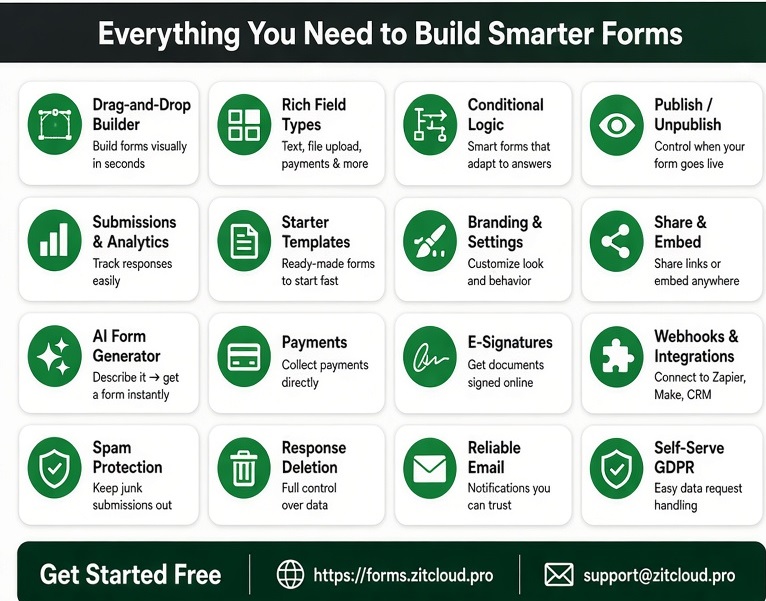
• Drag-and-Drop Builder: Create forms visually instead of writing form markup and validation code by hand.
• Rich Field Types: Support common data collection needs, including text fields, file uploads, payment-related fields and other form controls.
• Conditional Logic: Make forms adapt to user answers so respondents see relevant questions instead of unnecessary fields.
• Publish / Unpublish: Control when a form is available and when it should stop accepting new responses.
• Submissions & Analytics: Review responses and use submission information to understand how your forms are performing.
• Starter Templates: Begin with ready-made structures rather than creating every form from a blank page.
• Branding & Settings: Customize the presentation and behavior of forms to fit a business, project or organization.
• Share & Embed: Distribute forms through links or place them directly inside websites and other digital experiences.
• AI Form Generator: Describe the form you need and use AI-assisted generation to speed up the initial build.
• Payments: Collect payments through supported form workflows where payment collection is required.
• E-Signatures: Support workflows where users need to sign documents or agreements online.
• Webhooks & Integrations: Connect form activity to services such as Zapier, Make and CRM systems.
• Spam Protection: Help reduce unwanted or automated submissions.
• Response Deletion: Give administrators control over deleting collected responses when required.
• Reliable Email: Send notifications and other form-related messages through an email workflow.
• Self-Serve GDPR: Provide tools intended to make data-request handling easier for organizations that need GDPR-oriented controls.
30-Day Free Trial and the Ownership Question
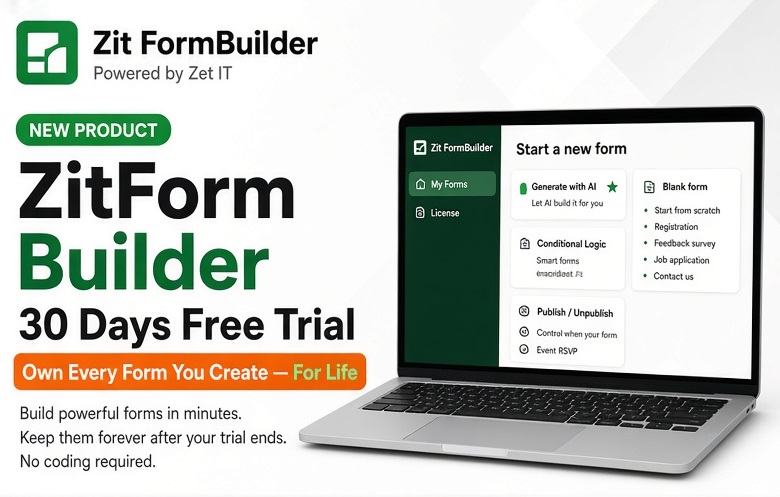
The supplied ZitForm Builder promotional material advertises a 30-day free trial and the message “Own Every Form You Create — For Life.” This is an important differentiator to investigate when comparing subscription-based form platforms. For publishing, the exact meaning of ownership should be stated clearly in the final commercial terms: whether it refers to continued access to created forms, submitted data, a license, a particular plan, or another entitlement.
That clarity matters because a good form builder comparison should not be based on a headline alone. Buyers should look at what happens to forms, responses, integrations, branding, exports and published URLs when a trial or paid period ends.
Why People Look for Form Builder Alternatives• Recurring subscription cost: A platform can become expensive as forms, submissions, users, integrations and advanced features grow.
• Feature gating: Important capabilities may be available only on higher plans.
• Response limits: A low-cost plan may become unsuitable when a campaign or business begins receiving more submissions.
• Branding restrictions: Some users need forms that look fully owned and consistent with their brand.
• Workflow complexity: A simple form may evolve into a process involving conditional logic, payments, signatures and integrations.
• Vendor dependence: Organizations may prefer a solution where they have clearer control over forms and data.
ZitForm Builder vs JotformJotform is one of the best-known online form builders and is a serious benchmark for any alternative. Its official materials highlight a no-code drag-and-drop builder, templates, conditional logic, integrations, payments and automated notifications. Jotform also states that its Starter plan is free and that paid tiers increase storage and submission limits. citeturn0search3turn0search5turn0search9
The opportunity for ZitForm Builder is therefore not to pretend Jotform lacks features. Instead, the comparison should focus on value, ownership, simplicity, commercial terms and the exact capabilities a customer needs.
For a small business that wants to create a contact form, application form, registration form or payment-enabled form, ZitForm Builder can be positioned as a practical alternative worth testing before committing to a larger subscription ecosystem.
ZitForm Builder vs TypeformTypeform is particularly well known for polished, conversational form experiences. Its current pricing page lists Basic at $29/month on monthly billing or $25/month when billed annually, with 100 responses per month included; Plus is listed at $59/month monthly or $50/month annually, while Business is $99/month monthly or $83/month annually. The page also lists conditional logic, webhooks and integrations among its capabilities. citeturn0search0turn0search15
Typeform is a strong choice when the visual experience and conversational interaction are central to the project. ZitForm Builder can appeal to users who want many of the practical building blocks of modern forms—conditional logic, AI generation, payments, signatures, integrations and submission management—without choosing a platform solely for its presentation style.
A useful buying test is simple: build the same real-world form in both platforms, publish it, test the mobile experience, collect responses, connect the required integrations and calculate the expected cost at your actual submission volume.
ZitForm Builder vs FormstackFormstack is positioned toward business and workflow use cases and offers forms alongside documents and e-signatures. Its current official pricing page lists Forms starting at $99/month when paid monthly or $83/month when paid annually, with 25 forms, one builder user, up to 1,000 submissions per form and 2GB storage. Its Suite starts at $299/month monthly or $250/month annually and adds documents and sign capabilities. citeturn0search1turn0search2
This makes Formstack a useful reference point for organizations that need sophisticated business workflows. ZitForm Builder's inclusion of e-signatures, payments, conditional logic, webhooks, integrations, spam protection, email and response management means it can be presented as a lower-complexity alternative for teams that need a broad feature set but do not necessarily need the full enterprise platform model.
ZitForm Builder vs WPFormsWPForms is a major option for WordPress websites. Its official site says WPForms Lite is free and includes the drag-and-drop builder, pre-built templates, email notifications and spam protection. It currently states that paid plans start at $49.50 per year and that the product integrates with WordPress page builders and a large range of services. citeturn0search6
The main distinction is platform dependency. WPForms is especially attractive if your entire workflow is already inside WordPress. ZitForm Builder is more naturally positioned as a standalone form-building service for users who want to share forms by link or embed them into websites without making the form builder itself a WordPress-only decision.
ZitForm Builder vs Google FormsGoogle Forms remains a compelling choice for straightforward surveys, questionnaires and internal data collection. Google describes Forms as an easy way to create forms and surveys, with multiple question types, drag-and-drop organization, customization, sharing and website embedding. citeturn0search12
The difference becomes more obvious when the form is part of a customer-facing or revenue-generating workflow. Businesses may need stronger branding, payment collection, signatures, conditional experiences, integrations, publishing controls and more dedicated form management. Those are the areas where a purpose-built platform such as ZitForm Builder can provide a more business-oriented experience.
Feature Comparison at a Glance|
Capability |
ZitForm Builder |
Jotform |
Typeform |
Formstack |
WPForms |
Google Forms |
|
Drag-and-drop builder |
Yes |
Yes |
Yes |
Yes |
Yes |
Yes |
|
Conditional logic |
Yes |
Yes |
Yes |
Yes |
Yes |
Available |
|
AI-assisted form creation |
Yes |
Yes / plan dependent |
Yes |
Available in product ecosystem |
Yes |
Limited / evolving |
|
File uploads |
Yes |
Yes |
Plan dependent |
Yes |
Yes |
Yes |
|
Payments |
Yes |
Yes |
Available / plan dependent |
Available |
Available / integrations |
Limited / ecosystem dependent |
|
E-signatures |
Yes |
Yes / product dependent |
Available / integrations |
Yes |
Available / integrations |
Not a core feature |
|
Webhooks / integrations |
Yes |
Yes |
Yes |
Yes |
Yes |
Google ecosystem |
|
Templates |
Yes |
Yes |
Yes |
Yes |
Yes |
Yes |
|
Share / embed |
Yes |
Yes |
Yes |
Yes |
Yes |
Yes |
|
Spam protection |
Yes |
Yes |
Yes |
Yes |
Yes |
Yes |
|
Submission management |
Yes |
Yes |
Yes |
Yes |
Yes |
Yes |
|
Self-service GDPR tools |
Yes |
Available / plan dependent |
Enterprise / plan dependent |
Enterprise / plan dependent |
Available / configuration dependent |
Google Workspace controls |
|
Standalone positioning |
Yes |
Yes |
Yes |
Yes |
WordPress-focused |
Google ecosystem |
Comparison note: “Yes” indicates that the capability is part of the product or its documented ecosystem; availability can vary by plan, integration, configuration or product edition. This table is intended for editorial comparison rather than a contractual feature matrix.
What Makes ZitForm Builder Interesting for Small Businesses?Small businesses often do not need an enormous technology stack. They need a form that works. A business owner might need a lead form today, a quotation request tomorrow, a customer onboarding form next week and a payment or registration form next month.
The advantage of a broad form builder is that the same platform can support these different processes. ZitForm Builder's combination of templates, conditional logic, payments, AI generation, analytics, integrations, signatures and publishing controls gives it a strong story for this market.
For agencies and freelancers, the value proposition can be even stronger: a form builder can become part of the service package delivered to clients instead of requiring every client to purchase a separate third-party platform.
Use Cases for ZitForm Builder• Lead generation: Build contact, quote-request and sales enquiry forms that can feed email or CRM workflows.
• Customer onboarding: Collect customer details, documents and acknowledgements in a structured process.
• Job applications: Collect applicant information, CVs and other supporting documents through a dedicated form.
• Event registration: Collect attendee information, preferences, payments and confirmations.
• Surveys and feedback: Build questionnaires with conditional logic so respondents only see relevant questions.
• School and training registration: Collect learner information, programme choices, documents and payments.
• Service requests: Let customers submit structured requests instead of sending incomplete information by email.
• Payments and orders: Use payment-enabled forms for fees, registrations, deposits or simple transactions.
• Consent and agreements: Use e-signature capabilities when a workflow requires formal acknowledgement.
• Internal business processes: Digitize approval requests, staff forms, data collection and other repetitive processes.
The AI Form Generator: A Practical Advantage
AI is becoming a standard feature in form builders, but the important question is whether it saves meaningful time. A useful AI form generator should take a plain-language description such as “Create a customer onboarding form for a small IT company” and turn it into a sensible starting structure.
ZitForm Builder's AI Form Generator is therefore best presented as a productivity feature, not a replacement for human review. The generated form should still be checked for required fields, privacy considerations, conditional logic, wording, payment settings, notifications and the actual business process.
Conditional Logic: Turning Static Forms into Smart Forms
Conditional logic is one of the most useful features in a serious form builder. Instead of presenting every respondent with the same long questionnaire, a form can react to previous answers.
For example, a service-request form could ask whether the customer is an existing client. If the answer is yes, the form can ask for an account or service reference. If the answer is no, it can present new-customer information. An event registration form can show different questions depending on whether the attendee selects an individual, company or group registration.
This produces shorter, clearer forms and can improve the quality of the information submitted.
Payments and E-Signatures: From Data Collection to Workflow
A form becomes significantly more useful when it can participate in the transaction that follows the submission. Payment support can turn a registration or order form into a revenue-generating workflow. E-signatures can turn a simple information request into a process involving consent, acknowledgement or agreement.
For organizations comparing form builders, these capabilities can reduce the need to stitch together several unrelated services. The exact payment providers, transaction fees, signature workflow and plan restrictions should always be verified before publishing a purchasing claim.
Integrations, Webhooks and Automation
A form should not become a dead end. Once a visitor submits information, the data may need to reach a CRM, spreadsheet, email workflow, automation service, customer support system or internal application.
ZitForm Builder advertises webhooks and integrations with tools such as Zapier, Make and CRM systems. This makes the platform more useful as part of a larger workflow. For technical teams, webhooks are particularly valuable because they allow form events to be consumed by another application rather than manually copying submissions.
Security, Spam Protection and Data Management
A professional form platform must also deal with the less visible parts of form management. Spam protection helps reduce unwanted submissions. Response deletion gives administrators a mechanism for removing data. Reliable email notifications help teams know when submissions arrive. Self-service GDPR features can simplify certain data-request processes.
These features do not automatically make any organization compliant with every privacy law. Compliance depends on how the organization collects, stores, processes and shares personal data. Businesses should configure their forms according to their own legal and privacy requirements.
Where ZitForm Builder May Be the Better Alternative• You want a broad feature set in one form-building environment.
• You want to create forms without coding.
• You need conditional logic for smarter forms.
• You want AI assistance to speed up initial form creation.
• You need payment and e-signature capabilities.
• You want forms that can be shared by link or embedded into websites.
• You need integrations, webhooks or automation options.
• You want submission management, analytics and publishing controls.
• You are concerned about the long-term cost of recurring SaaS subscriptions.
• You want to test the platform through the advertised 30-day free trial before making a longer-term decision.
When a Competitor May Still Be the Better ChoiceA fair alternative article should also acknowledge situations where another product may be a better fit. Jotform's large template and integration ecosystem can be attractive to organizations that want a mature marketplace and a very large collection of ready-made form patterns. Typeform can be especially compelling when a polished conversational experience is the top priority. Formstack is a strong candidate for organizations that need an established enterprise workflow around forms, documents and signatures. WPForms is a natural choice for WordPress-first businesses. Google Forms remains hard to beat for simple, familiar and collaborative data collection inside the Google ecosystem.
The right question is therefore not “Which form builder is the biggest?” It is “Which form builder gives me the capabilities I need at a cost and level of control that make sense for my project?”
How to Evaluate a Form Builder Before You Buy☐ Create one realistic form instead of evaluating only the demo.
☐ Test the mobile experience on an actual phone.
☐ Test file uploads if your workflow requires documents.
☐ Build at least one conditional-logic path.
☐ Test payment collection using the payment provider you intend to use.
☐ Test notifications and email deliverability.
☐ Connect the form to your CRM or automation tool.
☐ Check how submissions can be exported, deleted and managed.
☐ Review privacy, data retention and compliance controls.
☐ Calculate cost at your expected response volume rather than only the entry-level price.
☐ Check what happens to forms and responses if you stop paying.
☐ Check branding and custom-domain requirements.
☐ Confirm support options before the platform becomes business-critical.
The Cost Question: Cheap Is Not the Same as Good ValueOne of the biggest mistakes when comparing form builders is looking only at the advertised monthly price. A $10 or $20 plan can become expensive if the business has to upgrade because of response limits, remove branding, add users, unlock integrations or pay separately for essential features.
The better measure is total cost for the actual workflow. If one platform costs more but includes everything a business needs, it may still be good value. Conversely, a cheaper platform can be the better choice if it provides the required features without forcing unnecessary upgrades.
This is where ZitForm Builder's promotional ownership message deserves attention. If the commercial terms genuinely allow customers to retain long-term use of created forms after the applicable purchase or trial arrangement, that can materially change the cost calculation compared with perpetual monthly subscription spending. The final published article should link to the current ZitForm terms so readers can understand exactly what “for life” means.
Who Should Consider ZitForm Builder?ZitForm Builder is particularly worth considering for small and medium-sized businesses, freelancers, consultants, agencies, educators, event organizers, community organizations and technical teams that want to create professional forms without developing the entire system themselves.
It can also be a good fit for website developers who repeatedly build contact, registration, application, survey, payment and onboarding forms for clients. Instead of coding every form independently, the developer can use a dedicated builder and focus custom development effort on the parts of the project that actually need custom code.
Final VerdictThere is no universal winner in the form-builder market. Jotform, Typeform, Formstack, WPForms and Google Forms each have established reasons to use them. The best choice depends on the user's workflow, budget, preferred platform, response volume and integration requirements.
But if your search began with the question “What are the best form builder alternatives?”, ZitForm Builder deserves to be on the shortlist. Its advertised combination of drag-and-drop creation, rich field types, conditional logic, templates, analytics, AI form generation, payments, e-signatures, webhooks, integrations, spam protection, email, response management and GDPR-oriented tools covers many of the requirements that push users toward more expensive form platforms.
The strongest reason to test it is not that every competitor is bad. It is that you can compare the real workflow side by side. Build your form, publish it, collect test submissions, connect your integrations, test your notifications and calculate your long-term cost. If ZitForm Builder delivers the features you need with a better ownership and pricing model for your organization, switching can be a practical business decision rather than simply another software experiment.
Try ZitForm Builder: https://forms.zitcloud.pro
Frequently Asked QuestionsWhat is the best alternative to Jotform?
There is no single best alternative for every user. ZitForm Builder, Typeform, Formstack, WPForms and Google Forms each target different needs. ZitForm Builder is worth considering when broad form functionality, integrations, payments, signatures and long-term value are priorities.
Is ZitForm Builder a no-code form builder?
Yes. The product is presented as a visual, drag-and-drop form builder designed to let users create forms without writing the form interface from scratch.
Does ZitForm Builder support conditional logic?
Yes. Conditional logic is one of the advertised core features and is intended to let forms adapt to user answers.
Can ZitForm Builder collect payments?
Yes, payment collection is listed among the advertised features. The exact supported payment providers, transaction arrangements and plan terms should be confirmed from the current product documentation before publishing detailed payment claims.
Does ZitForm Builder support e-signatures?
Yes. E-signatures are included in the supplied product feature list.
Can I embed ZitForm Builder forms on my website?
Yes. The product materials advertise share and embed functionality.
Does ZitForm Builder have an AI form generator?
Yes. The supplied product materials advertise an AI Form Generator that can create a form from a description.
Is ZitForm Builder better than Typeform or Jotform?
It depends on the project. Typeform may be preferable for highly polished conversational experiences, while Jotform has a large established ecosystem. ZitForm Builder becomes particularly interesting when the combination of features, ownership model and long-term cost fits the buyer better.
Is there a free trial?
The supplied ZitForm Builder promotional material advertises a 30-day free trial. Confirm the current trial terms, feature access and conversion conditions before publishing.
Who owns the forms I create?
The supplied marketing material uses the message “Own Every Form You Create — For Life.” The exact legal and commercial meaning should be confirmed in the current ZitForm Builder terms before publication.
Comments